
Activ in Spanish, from the call to the report.
Activ speaks English and Spanish on both ends of the call. Residents are answered in Spanish, and your team can work in Spanish across the dispatch call, the mobile app, the web portal, the Inbox, and the reports.
This tour follows one call through a fictional community, Cedar Grove Apartments. At 1:07 AM Elena Morales in unit 204 calls because water is pouring from under her kitchen sink, and she describes it in Spanish. Luis Ortega is on call tonight, and he works in Spanish. So does Marisol Rivera, the community manager. Their regional manager reads everything in English. All of them work the same call, each in their own language.
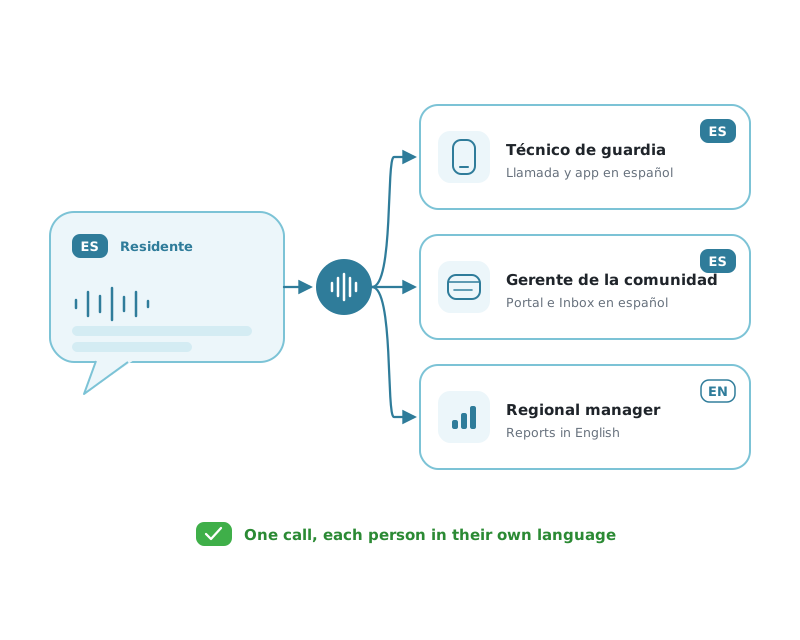
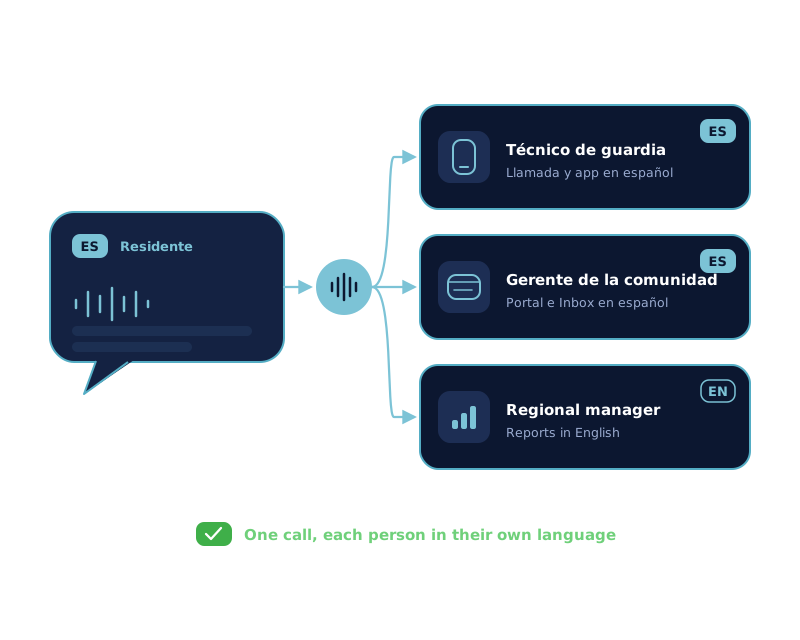
Each person picks a language once.
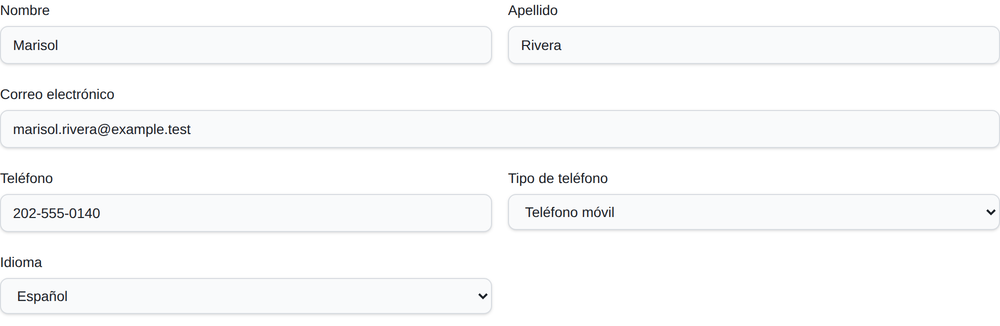
Language is a setting on each staff member’s profile, with two choices: English or Español. Luis and Marisol chose Español. Their regional manager left it on English.
The setting lives on the account, so it follows the person everywhere Activ reaches them. Changing it on the web changes the app, and changing it in the app changes the web. There’s nothing to set up per community.
The resident speaks Spanish, and Activ answers in Spanish.
Cedar Grove answers after hours with Answer Intelligence, Activ’s conversational AI. The resident starts talking in Spanish, and the AI continues in Spanish without asking them to press anything. It takes the unit and asks whether she can close the shutoff valve under the sink. She tries, but the water keeps coming and the kitchen floor is getting wet, so it’s an emergency.
Communities that use Answer Automate get the same result a different way: the menu offers Spanish, and a caller who chooses it hears every prompt in Spanish. On either one, the resident’s report is recorded in their own voice and transcribed in the language they spoke.
The dispatch call speaks to Luis in Spanish.
Activ calls the on-call technician, sends a push notification, and emails at the same time. Because Luis chose Español, the phone call greets him in Spanish, names the community, and walks him through the message in Spanish: when it arrived, a spoken summary of the conversation, and what he can do next.
The menu is the same one English-speaking technicians use. He can play the full conversation, call the resident back, send a ready text reply, or save the message, all by pressing a key.
If the resident had left a message in English on the IVR, Luis would hear a Spanish translation of it, introduced as a translation, and pressing one would play the resident’s original recording.
-
“Activ Answer. Tiene un mensaje nuevo para mantenimiento en Cedar Grove. Marque uno para escuchar sus mensajes.”
You have a new message for maintenance at Cedar Grove. Press one to hear your messages.
-
“Mensaje nuevo, recibido hoy a la una y siete de la madrugada.”
New message, received today at 1:07 in the morning.
-
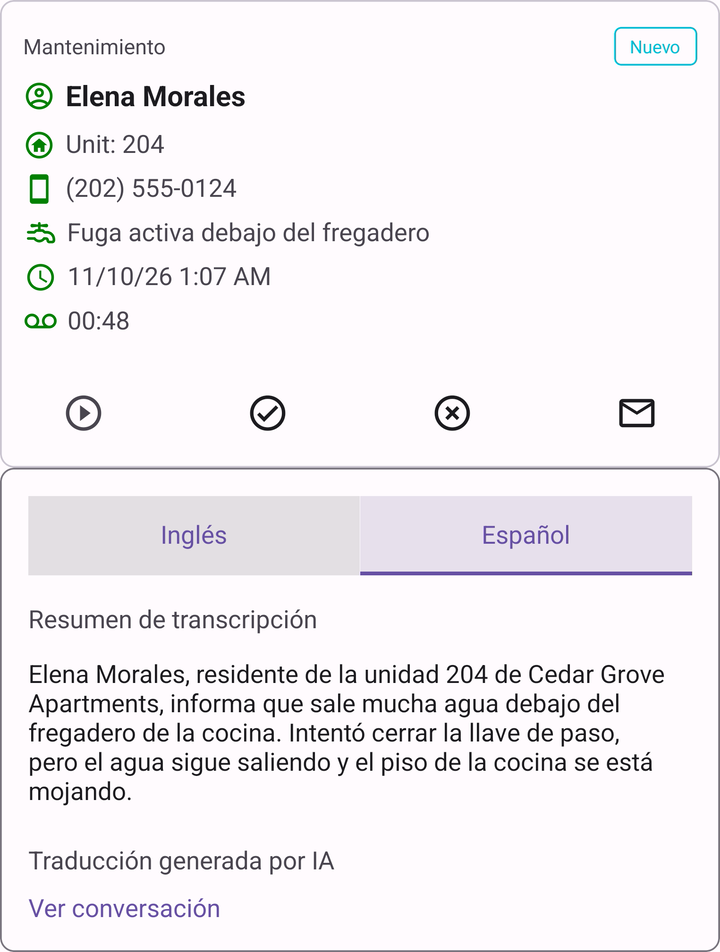
“Elena Morales, residente de la unidad 204 de Cedar Grove Apartments, informa que sale mucha agua debajo del fregadero de la cocina. Intentó cerrar la llave de paso, pero el agua sigue saliendo y el piso de la cocina se está mojando.”
Elena Morales in unit 204 reports water pouring from under the kitchen sink. She tried to close the shutoff valve, but water is still coming out and the kitchen floor is getting wet.
-
“Para escuchar la conversación completa, marque uno. Para responder por SMS, marque dos. Para devolver la llamada, marque tres.”
To hear the full conversation, press one. To reply by text, press two. To call back, press three.
The mobile app, in Spanish.
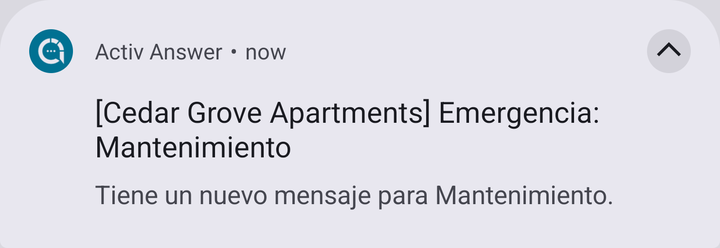
The push notification is in Spanish too. Luis opens it and lands on the call: the unit, the resident, the Spanish transcript, and the buttons to call back or text. The rest of the app follows the same setting: recent messages, his on-call schedule, tickets, work orders, and his own settings.
Luis taps to call Elena back through the property’s number, so his own stays private, and tells her he’s on his way. By 1:40 AM he has replaced the supply line under the sink. Nothing between the resident’s first word and his drive over was in English.
Marisol reviews the night in the web portal.
Marisol signs in and the portal is in Spanish: the dashboard, the call list, on-call schedules, office hours, and notification settings. Activ’s own labels, like maintenance categories, priorities, and call history events, are translated as well.
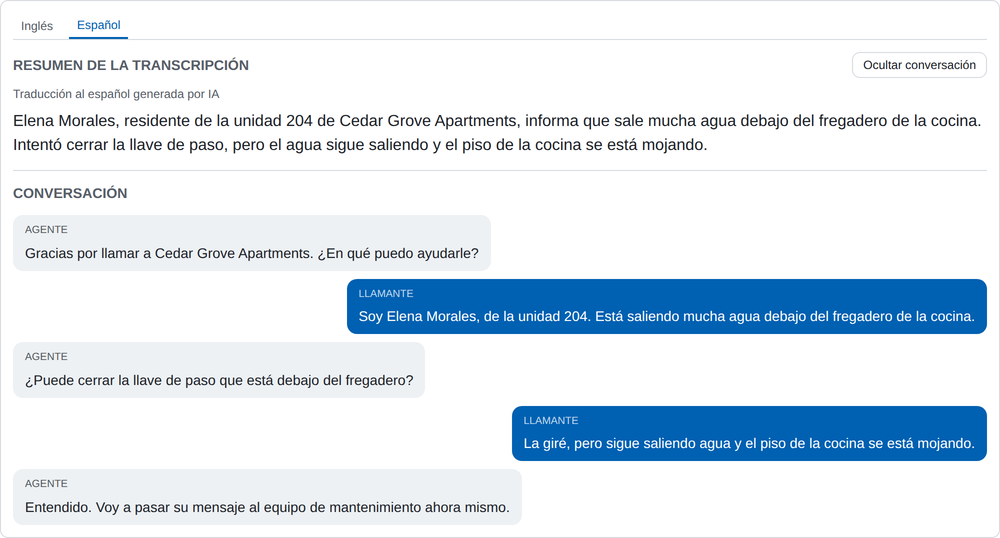
On the call from 204, the transcript has two tabs, Inglés and Español. Marisol reads the Spanish; her regional manager, who works in English, reads the same call in English. Recording notes, tickets, and work order notes from the PMS can also be read in Spanish.
The Resident Messaging Inbox, readable in Spanish.
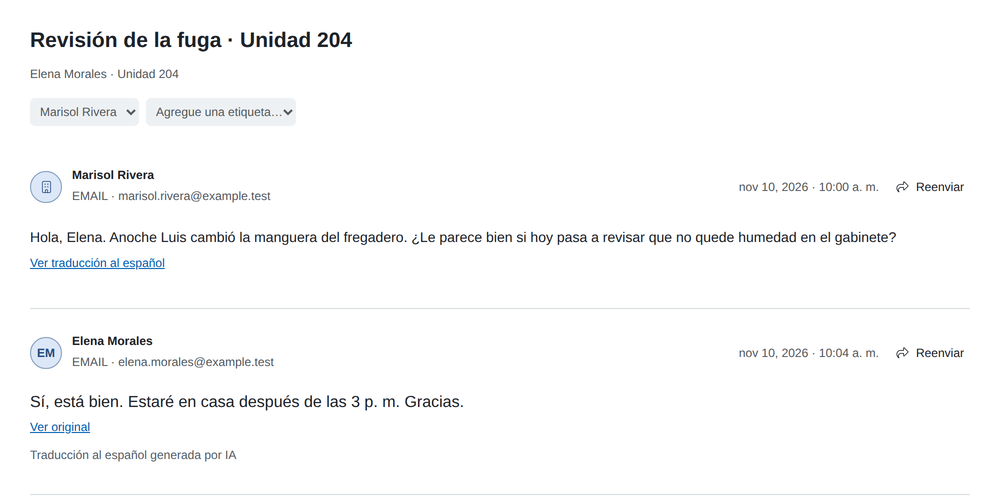
Marisol emails Elena to ask whether Luis can come back and check the cabinet for moisture. Elena happens to answer in English, and the reply lands in the community’s shared Inbox. Any message in the thread can be read as a Spanish translation, and one click switches it back to the original. Replies go out exactly as Marisol writes them, in Spanish or English, so she can answer each resident in the language they use.
Assignment, labels, internal notes, and delivery results work as they always do, with every control in Spanish.
One report, delivered in each reader’s language.
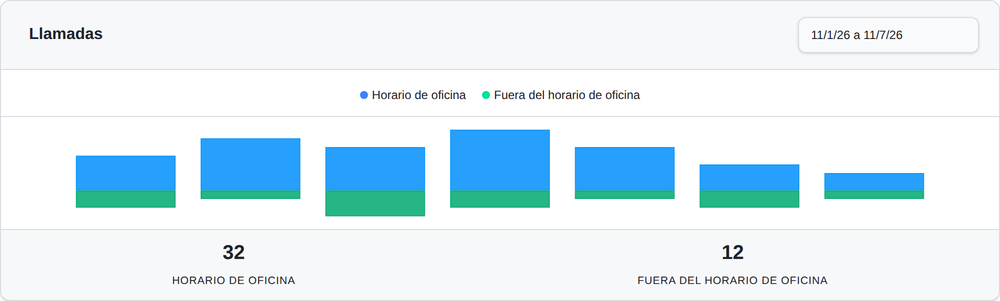
The weekly report goes to Marisol in Spanish and to the regional manager in English, built from the same numbers. Monthly and quarterly reports work the same way, as do the browser reports and the corporate export.
Message notification emails follow the same rule. Their subject, labels, and explanations are in the recipient’s language, and they link straight to the call, where the Spanish transcript is one tab away.
Three things to turn on.
Choose Español per person
Each staff member picks Español in their profile on the web or in the app’s settings. An administrator can also set it when adding someone.
Update the mobile app
Spanish arrives with the current version of the Activ app on the App Store and Google Play. Technicians on an older version should update.
Spanish for residents
Answer Intelligence detects Spanish on its own. For Spanish prompts on Answer Automate, Activ sets up the Spanish menu with you.
For the feature at a glance, see bilingual answering.
Questions teams ask before switching.
How does a technician switch Activ to Spanish?
They choose Español as the language in their profile, on the web or in the mobile app’s settings. The choice is saved to their account, so the portal, the app, push notifications, report emails, and the dispatch call all follow it. Before signing in, the app follows the phone’s own language.
Will the English speakers on my team start seeing Spanish?
No. Language is set per person. A technician working in Spanish and a regional manager working in English see the same calls, schedules, and reports, each in their own language.
What if the resident left their message in English?
A technician who works in Spanish can still hear it in Spanish. The dispatch call says it is playing a translation of the caller’s message and reads it in Spanish, and pressing one plays the resident’s original recording.
Can I still see what the resident actually said?
Yes. The recording is the resident’s own voice, and every translation in the portal and the app sits beside the original. In call details, English and Spanish are two tabs; in the Resident Messaging Inbox, one click switches a message back to the original.
Do residents have to do anything?
No. On conversational AI, Activ detects that a caller is speaking Spanish and continues in Spanish. On the IVR, callers choose Spanish from the menu. Either way it’s the same phone number.